Why you should own your domain name (and how to manage it)

Your domain = your corporate identity
Imagine waking up tomorrow morning to find that your website has disappeared. There’s no technical glitch—your domain name is simply gone. Your web agency has closed its doors without warning, and you’ve lost the domain name it owned “for you.”
It happens more often than you might think. Pet businesses lose their domain every year, and with it, years of Google rankings, their online reputation, and all the links to their website. All because they didn’t own their own domain.
Your domain name is your address on the web. Without it, your site doesn’t exist. And if someone else owns it, you have no control over it.
Why YOU should own your domain
You retain complete control
When you own your domain, no one can take it away from you. You decide where it points, who has access to it, and how long you keep it.
Protection if things go wrong
Relationships with agencies and developers can end. Contracts expire, disagreements arise, companies close—it happens. If your agency owns your domain, you’re stuck. You can’t leave, even if you want to.
Business continuity assured
If your web provider disappears tomorrow, you want to be able to transfer your site elsewhere without losing your name. This is impossible if you don’t own the domain.
Red flags to watch out for
Be wary of agencies or developers who insist on “managing your domain for you.” This is often a way to keep you captive. An honest agency will always encourage you to own your own domain.
How to choose the right domain name
Golden rules for a good domain name:
- Short and memorable: The shorter, the better
- Easy to spell: Avoid hyphens and complicated spellings
- Reflects your company name: Ideally, your exact company name
- No numbers or special characters: It creates confusion.
.ca or .com? Both!
For businesses in Quebec and Canada, .ca is highly recommended. It builds local trust and shows that you are a genuine Canadian company.
But here’s the thing: buy both (.ca AND .com).
- If your clientele is in Quebec or Canada: Use .ca as your primary domain.
- The .com redirects to your .ca: You never lose anyone who types .com out of habit.
- Protecting your brand: No one else can take the .com and create confusion.
The cost? About $15 per year for .ca and $13 for .com. Less than $30 per year for complete protection of your web identity.
Where to buy your domain
We recommend Namecheap for these reasons:
- Clear and affordable prices: No hidden fees, no surprises when renewing
- Free privacy protection: Your personal information remains hidden from the public
- Secure access sharing: You can give your developer access without sharing your password.
- No aggressive sales tactics: You buy what you need, that’s all.
Avoid: GoDaddy. Their renewal prices skyrocket after the first year, and you’ll be bombarded with additional sales pitches every time you log in.
Step-by-step guide: Buy your domain on Namecheap
Step 1: Go to namecheap.com
Step 2: Type the domain name you want in the search bar
Step 3: Add the .ca to your cart (and the .com if you want both)
Step 4: IMPORTANT — Enable privacy protection (included free of charge)
For .com domains, ensure that “WhoisGuard” is enabled. For .ca domains, “Redacted for Privacy” protection is automatically enabled by the Canadian registry. Both options protect your personal information free of charge.
Step 5: Create an account. If you have a business email address, use that rather than a personal email address.
Step 6: Complete the purchase
Congratulations! You now own your domain.
CRITICAL: Secure your domain immediately
Once you’ve completed your purchase, take five minutes to secure your domain. These steps could save you from disaster.
✅ Enable auto-renewal
This is the most important step. If your domain expires, someone else can buy it immediately. You could lose it forever.
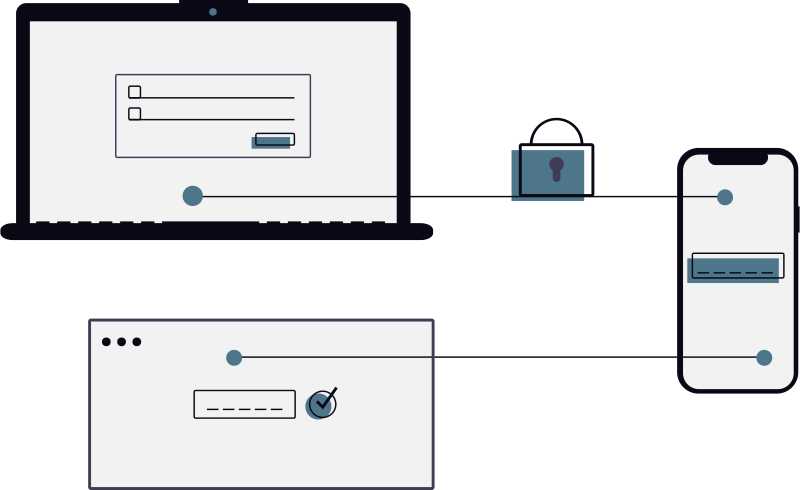
✅ Enable two-factor authentication (2FA)
This prevents anyone from logging into your account even if they have your password.
✅ Use a business email address if you have one.
If you use a personal Gmail account and lose access to that account, you will also lose access to your domain.
✅ Keep your credit card up to date
If your card expires and automatic renewal fails, your domain may expire.
✅ Set up renewal reminders
Even with auto-renewal enabled, set a reminder in your calendar 2 months before expiration.
⚠️ Horror story: What happens when a domain expires
Here’s what can happen: you forget to renew your domain. Within 24 hours, a professional “squatter” automatically buys it. They know you want it back, so they ask you for thousands of dollars to give it back to you. If you refuse to pay, you have to buy a new domain, lose all your Google rankings, and start your marketing from scratch.
Don’t let this happen to you.
How to give your agency or developer access SAFELY
Now that you own your domain, your agency or developer must configure it to point to your website.
NEVER, ever share your password.
There is a better way.
The right method: Namecheap shared access
Namecheap allows you to give your developer access without giving them your account credentials.
Here’s how:
- Log in to Namecheap
- Go to Domain List
- Click Manage next to your domain
- Find Share and Transfer in the menu
- Click Share Access
- Enter your agency’s username or email address
- Select Full Access for the initial setup
- Send the invitation
Your agency receives an email, accepts access, and can now configure your domain without ever having your password.
After configuration: You can revoke access at any time. It’s your domain, you’re in control.
What your agency will do with access
No need to understand all the technical details. Here’s what will happen:
Connect your domain to your website
Your developer configures the domain to point to your site. When someone types in your domain name, they see your site.
Test that everything works
They verify that the domain loads correctly everywhere in the world.
You retain complete control. Nothing changes hands. Your agency configures, you own.
Ongoing management: How to never lose your domain
Check your renewal emails
Namecheap will send you reminders before expiration. Never ignore them.
Update your credit card if it expires
Log in and update your payment information as soon as you receive a new card.
Recommended: Have at least 2 credit cards registered
If possible, add a backup card. If one card is declined, the other will automatically take over.
NEVER ignore expiration alerts
Even if you think it’s taken care of, always double-check.
Renew for several years
Namecheap offers discounts if you renew for 2, 5, or 10 years in advance. You save money AND have peace of mind.
What should you do if you miss a renewal?
You usually have a 30-day grace period to renew after expiration. After that, the domain can be purchased by someone else. Act quickly.
Frequently asked questions
How much does it cost?
Approximately $15/year for a .ca domain and $13/year for a .com domain. Less than $30 per year to own your web identity.
Can I transfer a domain that I already own elsewhere?
Yes! You can transfer your domain from any registrar to Namecheap (or elsewhere). The process takes a few days.
What if my current agency owns my domain?
Ask them to transfer it to you. If it’s a good agency, they’ll agree without any problems. If it becomes complicated, that’s a red flag.
Can I change registrars later?
Yes. You’re never stuck with Namecheap (or any other). You can transfer your domain elsewhere at any time.
Do I really need to buy both .ca AND .com?
For a business in Quebec or Canada, yes. The .ca builds trust locally, and the .com prevents someone else from creating confusion with your brand.
Conclusion: A small investment for permanent protection
For less than $30 a year, you own and control your web identity for life.
No dependence on an agency or developer. No risk of losing everything if a relationship ends.
It’s your company. It’s your domain.
AnimoClic helps you every step of the way, but you always remain the owner. That’s how it should be.
Need help setting up your domain?
Purchase your domain from Namecheap, then contact us. We take care of all the technical setup while you retain complete control.
Expect a quick response
Unlock your business's potential!
Let's get in touch to understand your needs and discuss the best approach for your project.